Your first two turns: select your land and prepare your next move
You do not need to learn every button at once. Start as South Korea, select your province, levy troops once, and check what changes on the next turn. These screenshots and numbers come from an actual game.
Scenario: Modern Powers · Starting nation: South Korea (대한민국)
Difficulty: Normal · Objective: Domination (eliminate enemies)
The starting nation was chosen explicitly. Quick start may recommend a different country for your region. This is an opening example, not a completed campaign or a promise of victory.
1. Start with the same settings
On the title screen, choose the ‘Domination’ objective and Normal difficulty. Use ‘Choose nation’ beside Modern Powers and select South Korea. If the first-time help opens, read it and close it to begin.
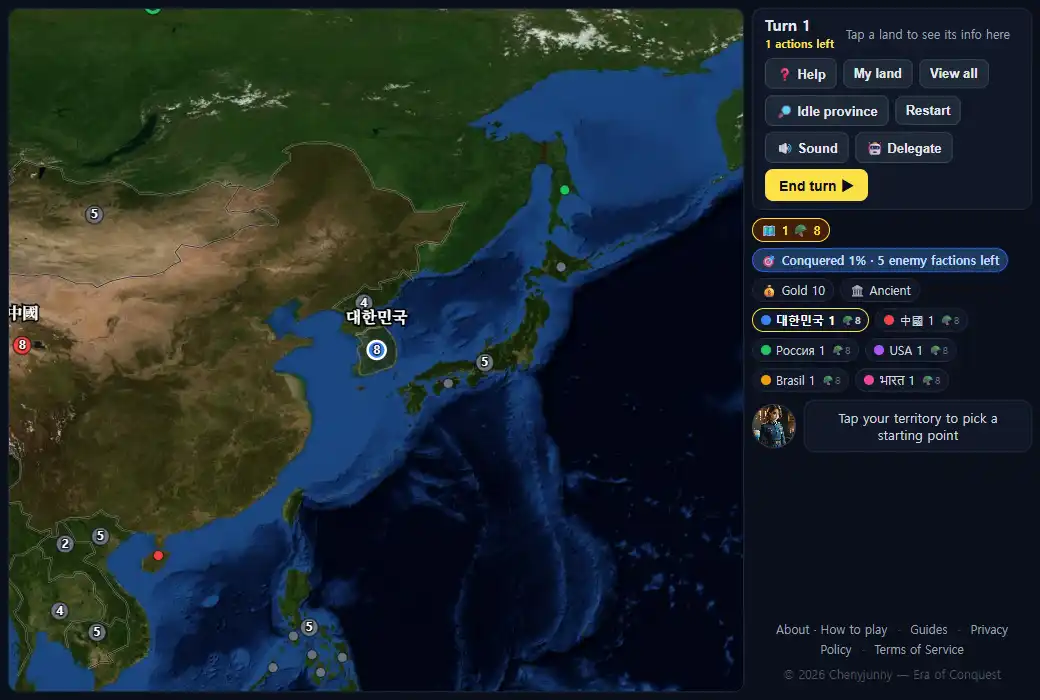
A place name does not tell you who owns that land in this scenario. North Korea and Japan began as gray neutral territory, while China and Russia belonged to rival factions. This setup does not reproduce real-world borders or diplomatic relations.
2. Select your land, then select it again for domestic actions
Select South Korea on the map. Select the same province again to open the buttons for development, fortification, and levies. Check the province name and troop count at the top. If you lose your place, use ‘My territory’ and zoom in.
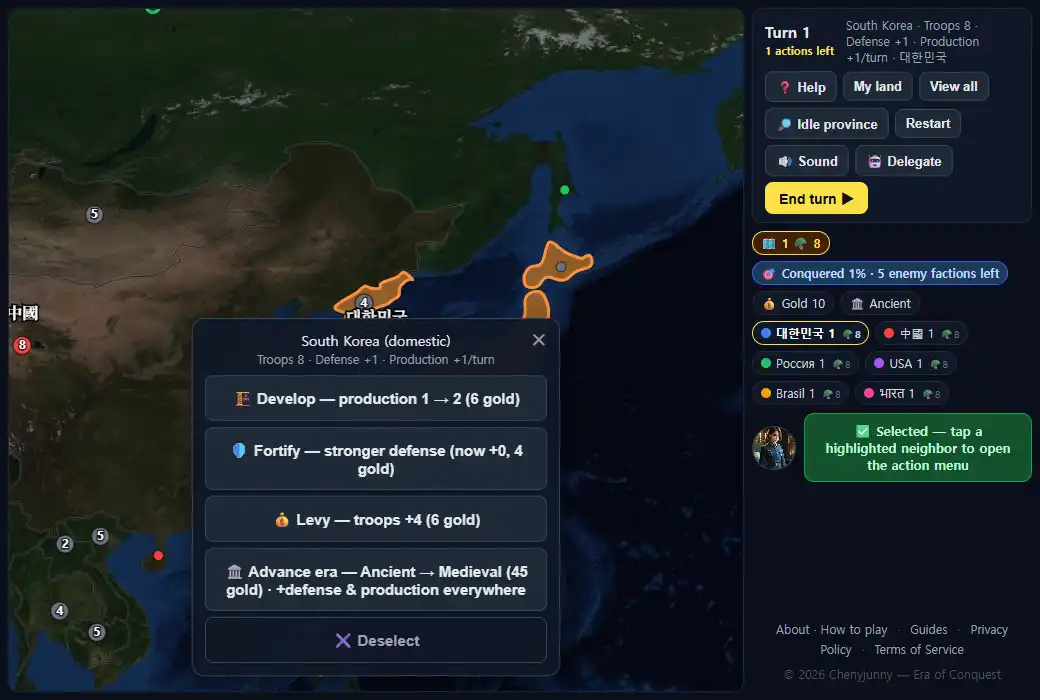
We chose ‘Levy — troops +4 (6 gold)’. Troops increased from eight to twelve, gold fell from ten to four, and the available action count fell from one to zero. That province cannot also attack or develop on the same turn.
We chose a levy to learn how an economic action and a turn transition change the numbers. A levy is not a required opening for every position. Development is another option if the border is safe and you expect to wait. Which choice is better depends on nearby enemies, your objective, and how many turns remain.
3. End the turn and check the changes
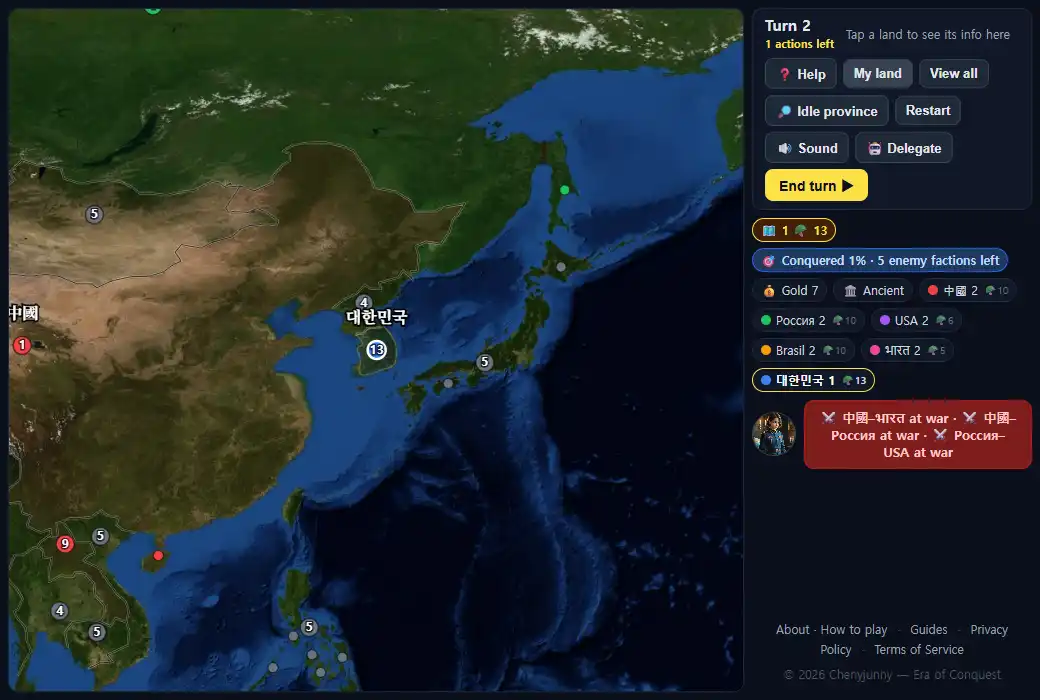
Select ‘End turn’. Other nations act before your next turn begins. In this run, turn two started with thirteen South Korean troops, seven gold, and one available action. We still owned one province. Check nearby owners and troop counts again before issuing an attack: the other factions have also moved.
| When | Troops | Gold | Actions left |
|---|---|---|---|
| Turn 1 begins | 8 | 10 | 1 |
| After the levy | 12 | 4 | 0 |
| Turn 2 begins | 13 | 7 | 1 |
4. Before choosing the next attack
Select your province and then a neighboring target to choose a move or attack. Neutral gray land does not require a declaration of war. Another nation's land can only be attacked while you are at war, so check the owner as well as the map color.
Having thirteen troops does not mean you can send thirteen: one must stay at the origin. You also need to account for the defender's bonus and any sea-crossing loss. The first-battle guide works through minimum troop requirements, and the combat and economy guide explains the rules in detail.
5. We sent six troops and captured North Korea
On turn two, we selected South Korea and then neighboring North Korea. The attack menu showed ‘Defenders 4 + defense 1 · need 6 to capture’ and ‘Send: 6 / 12’. That means six troops were selected out of a maximum of twelve. We left the amount unchanged and selected ‘Attack’.
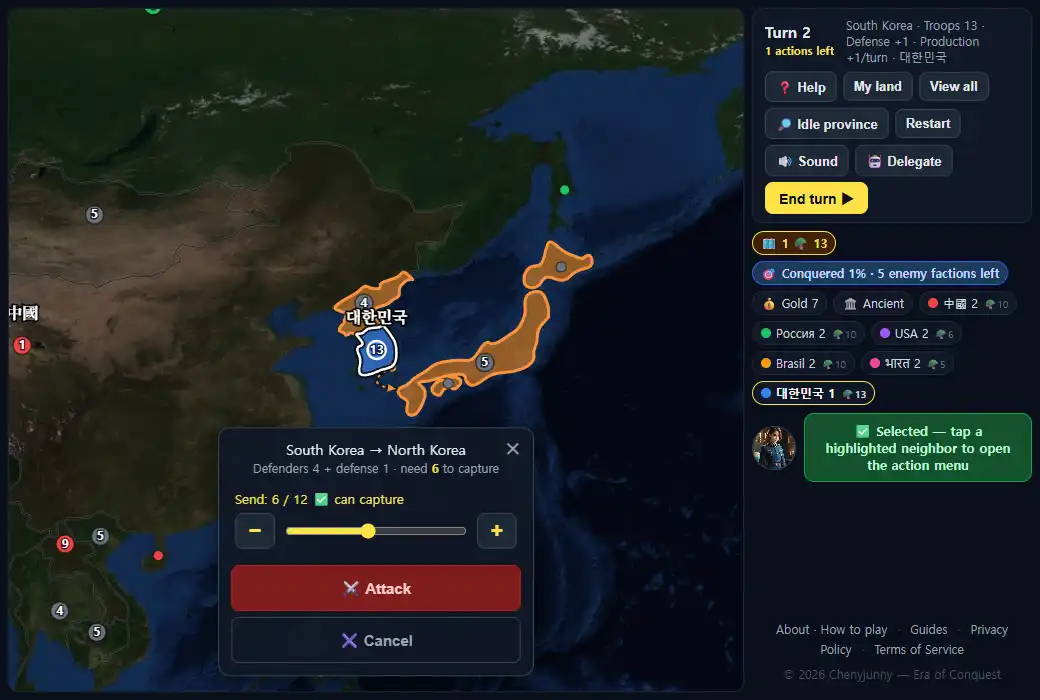
After the attack, South Korea had seven troops and newly captured North Korea had one. We owned two provinces, gold remained at seven, and neither province could act again that turn. The campaign was still underway.
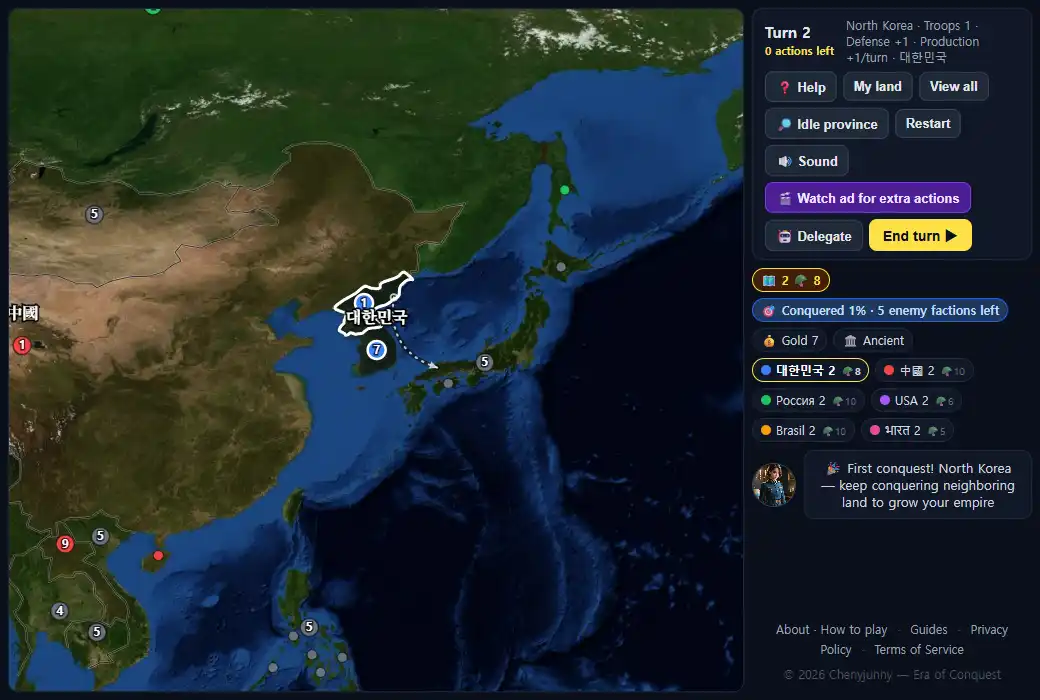
Next, inspect nearby enemies and current wars. Gaining land does not give either of these provinces another immediate action. Think about which border needs protection before ending the turn, and check the numbers again when the next turn begins.
If your screen looks different
- Check the objective, difficulty, scenario, and starting country. Continuing a saved game is different from starting turn one.
- On a phone, the controls are above the map. Rotate to landscape for a larger map.
- After other factions act, make decisions using the current owners and troop counts in your own game.
If your game contradicts the guide, send the scenario, difficulty, turn, and a screenshot to [email protected].
Try the opening yourself